1) Graphic User Interface with AWT
Graphical User Interface (GUI) offers user interaction via some graphical components. For example our underlying Operating System also offers GUI via window,frame,Panel, Button, Textfield, TextArea, Listbox, Combobox, Label, Checkbox etc. These all are known as components. Using these components we can create an interactive user interface for an application.
GUI provides result to end user in response to raised events.GUI is entirely based events. For example clicking over a button, closing a window, opening a window, typing something in a textarea etc. These activities are known as events.GUI makes it easier for the end user to use an application. It also makes them interesting.
The Abstract Window Toolkit (AWT) supports Graphical User
Interface (GUI) programming. AWT features include:
· A set of native user
interface components
· A robust event-handling
model
· Graphics and imaging
tools, including shape, color, and font classes
· Layout managers, for
flexible window layouts that do not depend on a particular window size or
screen resolution
· Data transfer classes,
for cut-and-paste through the native platform clipboard
AWT contains large number of classes and methods that allows you to create and manage graphical user interface ( GUI ) applications, such as windows, buttons, scroll bars,etc. The AWT was designed to provide a common set of tools for GUI design that could work on a variety of platforms. The tools provided by the AWT are implemented using each platform's native GUI toolkit, hence preserving the look and feel of each platform. This is an advantage of using AWT.But the disadvantage of such an approach is that GUI designed on one platform may look different when displayed on another platform.
AWT is the foundation upon which Swing is made i.e Swing is a set of GUI interfaces that extends the AWT. But now a days AWT is merely used because most GUI Java programs are implemented using Swing because of its rich implementation of GUI controls and light-weighted nature.
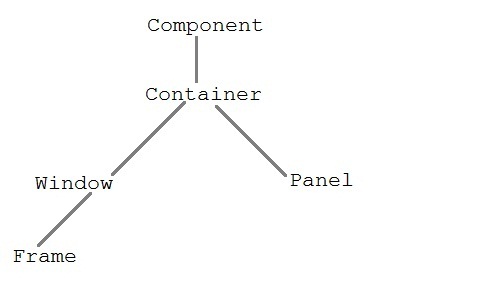
Java AWT Hierarchy
2) AWT calls